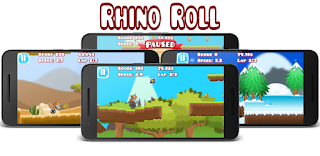
Friday, August 19, 2016

Wool is the Fuel

A couple of years ago I created my 1st game, it was Wool is the Fuel.  The idea of the game was that Space ships are powered by wool, so the aliens come to earth and shear the sheep. Originally I was going to have cows, as those aliens can’t resist a bit of cow mutilation, however I thought that wasn’t very child friendly, so as sheep shearing isn’t as murdery I’d go with that.

It was written using XNA and took a number of months. I then rewrote it in Unity in 2 weeks but I scrapped the game as it really was quite rubbish.

Now having written a number of games I’m returning to the idea of Wool is the Fuel. I’m going to combine Wool is the fuels with a game I always loved Defenders. The idea in Defender is that you have to protect your colony of humans from a bunch of aliens. The aliens arrive in waves and after you have cleared all the waves you have completed a level. As the level number goes up so does the difficulty.

So instead of humans, you have to protect your sheep. Also no sheep will be harmed in the playing of this game they cannot die, even after falling from a great height.

My Rhino Roll game has the code for the parallax scrolling backgrounds, so I will reuse that but allow the changing of direction. To do this I add a Collier to the Left and right of the Main camera, when it hits a tile it moves it over to the opposite direction.
When moving right the left collider in green moves A tile to right

When moving left the right collider in green moves E tile to left

As with the Rhino Roll game I am going to have multiple layers of background so you can see the parrallax scrolling.
For the backgrounds I'm using the Delta essentials pack from Spriter by BrashMonkey.


 Videos of Scrolling in action

Thursday, July 14, 2016

Game Music

My previous game music was recorded on my bass using Sequel 3 and my ZOOM B3 effects. I liked the tracks but it was so time consuming, if you wanted to change something you would need to re-record it.

So I wanted to create some new music for my new games and bought an AKAI APC Keyboard. This came with a bunch of software and samples.

  • Ableton Live 9 Lite: This is music editing software, it is a cut down version, that allows only 8 tracks and some features are missing. Overall it's a fantastic piece of software, with loads of drums, instruments and audio effects.
  • Hybrid 3: This is a synthesizer with tonnes of presets to play about with, I've not tried creating new sounds from scratch, only tweaking the presets.
  • Twist 2; This is a different synth again with many sounds included. When registering the product though it said it was already in use. An email to AKAI Support and they sorted that out. Some of the presets make excellent game sound effects.
  • Toolroom Artists TFP Pack: this pack has over 1.5Gbs of samples and loops.
Here are a few compositions I've created with the above software. In the games the loop but on Soundcloud they play 1 time.

1st is a bit dancy


Next 2 are a bit housey


I've uploaded 17 tracks in total, have a listen and tell me what you think.

Saturday, February 27, 2016

Shuffa Brick game released.

I've just released Shuffa Brick my new physics based Break out game on Google Play.


 Shuffa Brick on Google Play

Shuffa Brick is a new physics based Break-out style game, except you do not use a paddle to hit the ball. You touch the screen slide then release.


Clear all bricks to complete the level.

Shuffa Brick can be played with just the touch of one finger. 
You touch the screen of your phone or tablet, slide back and release. 
This will rebound the ball in the opposite direction. 

See how you rank on Google play leader board.
Unlock all achievements.

One level only included, let me know if you want me to create more.


YouTube trailer for Shuffa Brick


Monday, February 22, 2016

Shuffa Brick juicy style

In the new game I'm writing, Shuffa Brick, I had each level start with all bricks already in place, functional but a bit dull to look at. After watching another great YouTube video on Juicy game design, I decided to add a bunch of the juicy effects described in the video.

 Juice it or lose it

Animate the bricks coming onto the screen

In the video I saw they used an animation curve to provide the location that the brick should be. So given a ratio of time along the x axis, this will give you a ratio along the y axis for how far it is from the destination, the cool thing is that this can be further than the destination as in my example below, so it gives a little bounce effect.

 my brick curve

If we want the total journey time to be 1 second then after 0.25 secs in according to the curve we will have traveled 50% of the way to the final destination (calling curve.Evaluate(timeGap) would return 0.5 for the y axis value).

Fancy particle effect on the ball

Next thing I added was a particle effect on the ball, the idea is that it leaves a flame like trail behind the ball.
To do this I changed the Color over lifetime going from yellowy to orangish color with a alpha fade.


Explosion effect on the brick

Then an explosion effect when a brick gets destroyed. This is another particle effect to do this I set the same color over lifetime as the ball. I add speed and a gravity modifier to give it the effect.


Comparison Non Juicy vs Juicy


Saturday, January 30, 2016

Re-using Unity 2D animations by changing the Sprite at run-time.

In my new game Shuffa brick, I have a number of same sized bricks that I want to animate once and re-use the animation for all colours of the bricks.

I created the animation using a green brick, then in the editor I changed the sprite renderer to use a different coloured sprite.

The change works in the editor, but when running the game it reverted back to the green brick.


In code I tried updating the sprite of the renderer in the Update() of the GameObject but that didn't work either. In the debugger I could see it getting changed but again it went back to the Green brick at run-time.

So in effect what happens is that the animator overwrites whatever sprite we set in code with the one in the animation.

Unite 2014 - 2D Best Practices In Unity

I watched a really good video on YouTube, the important part is where he talks of Sprite animation re-skinning. All I needed from the video was just one word LateUpdate (31mins in). The code in the LateUpdate() is ran after the animator has done it's work. So if we change the renderer's sprite at this moment it stays changed.


Brick animations with LateUpdate()


Thursday, December 31, 2015

NoTilt pinball

I released Rhino Roll my previous game on the 18th December 2015, I then set myself a target to release a new game by the end of the year.
Rhino Roll on GooglePlay
Rhino Roll get it on GooglePlay

My new game is called NoTilt pinball and relies heavily on my 1st game Shuffa ball's mechanics. 

 NoTilt get it on GooglePlay
NoTilt Pinball get it on GooglePlay

Here it is like a traditional pinball game with bumpers, triggers and slingshots. The one thing missing is the flippers. You use the table itself to control the ball. Watch the trailer video to see it in action.


Sunday, December 6, 2015

Creating a video game trailer using Movie Maker

To get your game noticed a lot of people say you need a trailer video for your game. I don't know if that is true but here is how I went about making the trailer.

Rhino Roller trailer

To do that I used Movie maker for editing, Open broadcast software (OBS) for the screen capture and Spriter and Inkscape for the logo animations.

Logo animations

To do the logo I used Inkscape to create PNGs, then in Spriter I created an animation for the logo. Then I exported the animation to multiple PNGs which I then imported into Movie Maker, changed the time to display each frame to 0.1s.

Dragging multiple .PNGs into Movie Maker


Change dsiplay time


Game Play

To capure the game play I used OBS to screen capture. I turned the music off as that will be added later in Movie Maker. I edited multple shots of game play together and added to the main trailer project.

Music

I then added the music from the game itself into the video.


Click here to see the video